Imported Template Position Problems

I'm trying to get this black cursive to go on top of the pink text box.

I keep trying to adjust the position (x,y, AND z) but it keeps staying behind the text box.
The cursive black text is a Random Image template I created using this YouTube link and then imported into another template I had created (https://www.youtube.com/watch?v=8dwv_SrQ6Ic&list=PLImAJNt3Qg_jelWspGsLhspQkJiV-DRI7&index=4)
I've included my objects panel. The highlighted "Image Holder" is the layer the black cursive is on. The "Header" is the pink text box.

What am I doing wrong that keeps the cursive below the box? :(

The easiest way to solve this would be to drag the "Scene Object 0" so that it is below the "Header" object. You don't need to nest it under the Header, just make sure it comes after. Lens Studio renders objects top to bottom.
Alternatively, you can disable the "Auto" option in the Inspector Panel and specify the render order (that number to the left of the auto checkbox). Just make sure the cursive image has a higher number than the header. If you go this route you may need to disable the auto option for both the cursive and the pink header.
Thanks for the reply, modelsbymike3d.
Still not working tho. :(
I wonder if the placement of my cameras is the issue? See attached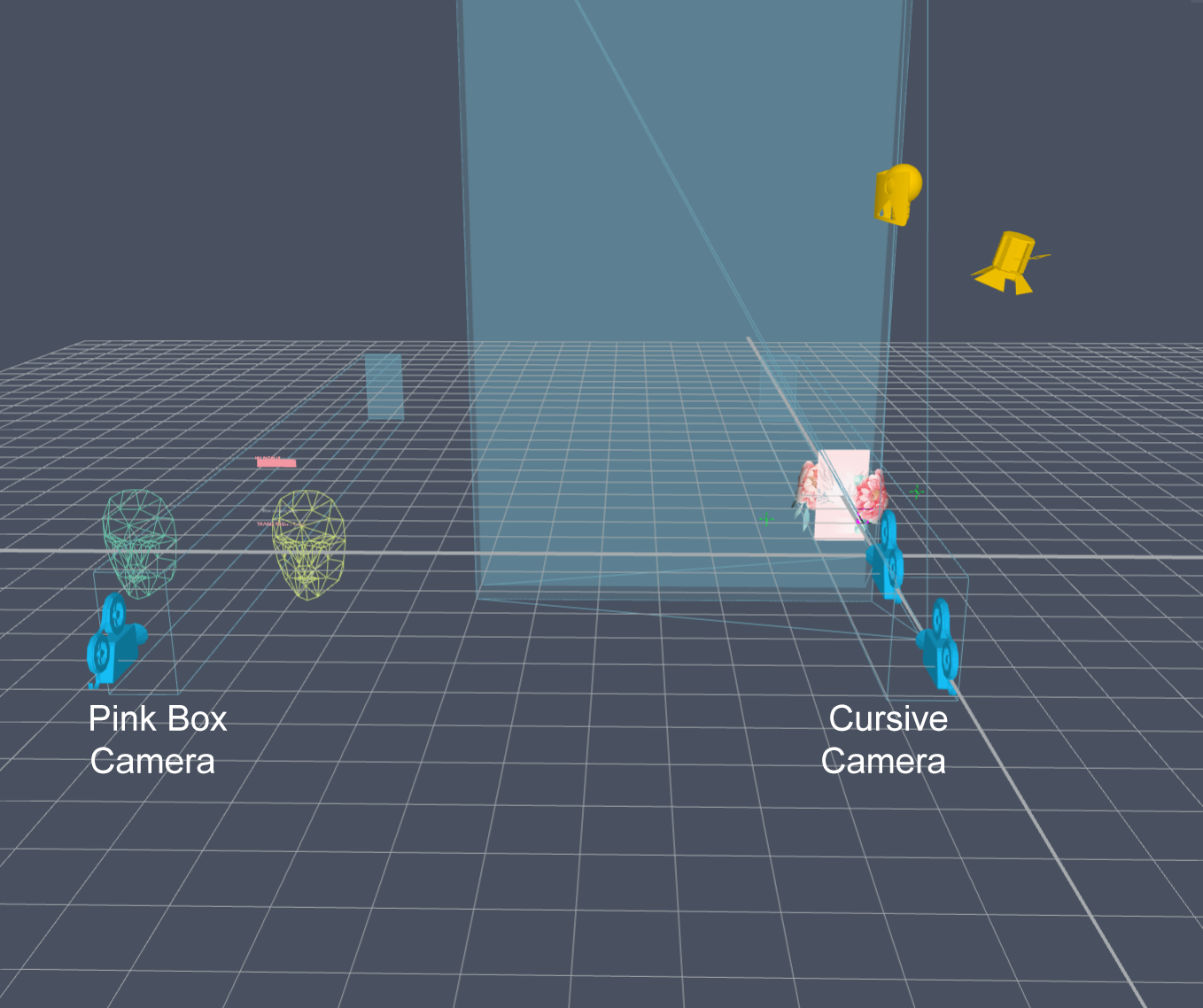
Yeah, so if things are rendered on different layers/cameras that will also affect it. Even though you have your Image Holder under the orthographic camera, it is on the Default layer. Changing the layer to "Orthographic" might be all you need to fix this (in addition to making sure it comes after the header).
If that doesn't solve the issue, you may want to instead create a screen image and make sure it is on the same camera/layer as the pink box. Then have your randomizer script use that image.