Help in building and how tos

Hey everyone, so i have a project in which i have to make a School Campus in augmented reality but to be honest I have no idea about augmented reality and how to get to started with this, can someone please share me some tutorials or guidelines on how can I make a building and a campus with all the other small objects.

Hey Eshaan,
So your going to want to get started by using the app Blender. It's a 3d modeling tool that allows you to build and sculpt models. The app is free and you can find plenty of tutorials online on how to create your models. In terms of Lens Studio, the best templates you can bring your models into would be static object or the portal template depending on the look your going for!
Happy Creating,
Ryan
Hey @...
Maybe some of the following links can help you.
School Modeling 1
Modeling 2
Cheers,
SirQu3ntin
Thank you soo much guys, this has really helped me a lot. I am sure I will be able to start with my work now.
Could you please also help me with this?
Location - https://www.google.co.in/maps/@18.5658416,73.907933,185m/data=!3m1!1e3
This is how the campus looks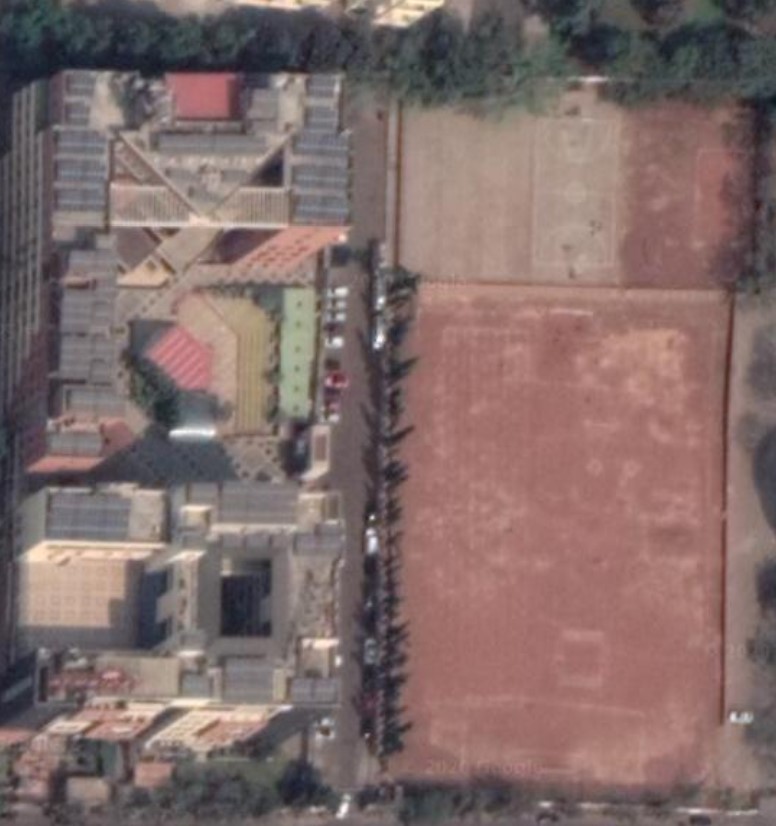
Can you tell me how will i be able to make a diagram of the whole, I will be trying this for the first time.
Hey @...
Maybe this will help you.
You can just download the google maps file and import into blender. Its kinda complicated but easier than modeling it for yourself.
Click here for the tutorial.
Cheers,
SirQu3ntin
Hey SirQu3ntin
Well, I did look into what you suggested but when I saw it on Google Maps, the campus does not have a 3D Model available. Do you think anything else is possible?
Really appreciate your help, thank you so much.
Hey @...
I have watched several videos and tried to do it with google earth. But it seems like there is no 3D- Model of you school there. Last option is that you have to model it but that would kinda difficult.
Cheers,
SirQu3ntin