FBX model imports incorrectly from Blender

Hello,
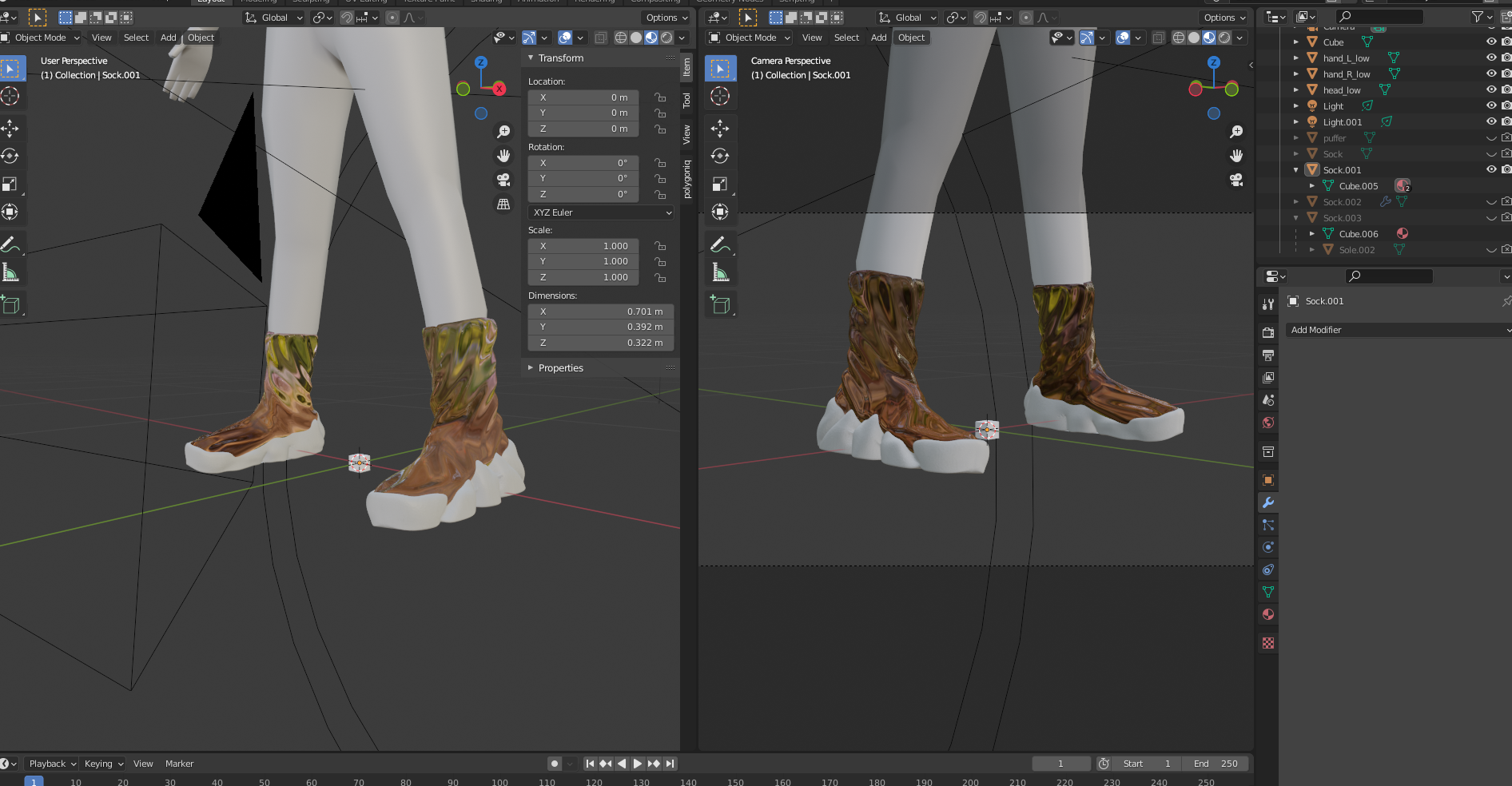
I have a problem. I made shoes in blender from scratch. I have made a model for the top part and the sole part separately. I applied different materials to the Top and the Sole parts of the shoe, after which I then joined them together with Ctrl+J.
When exporting the FBX to Lens Studio, something really weird happens. In lens studio the mesh displays as a split top and bottom. I can't use two external meshes for some reason, because lens studio slows down dramatically and the soles don't display correctly.
When I set external Top part mesh to the full body mesh, it works as it is supposed to (without the soles ofc), but replacing the external mesh with the soles mesh does not display them correctly and causes a crash.
I have found out what causes it - If I apply the same material in blender to the whole shoe and export it as FBX, then Lens studio treats it as one, which I can't wrap my head around.
How can I import the shoe as ONE MESH and still have separate materials for the top and bottom parts?
Any help would be appreciated!


Hi, Alexander Samoshin!
You are right, lens studio does not support materials on a subset of the mesh polygons. And it splits mesh into two based on the material.
Your approach with two different external meshes sounds like a valid one. If you are experiencing some issues - try checking if the polygon count is around recommended amount, and pivot is at the same point as the reference body mesh.
Another solution would be to bake normal, material params textures and use one material.
Or even mix two PBR nodes based on the mask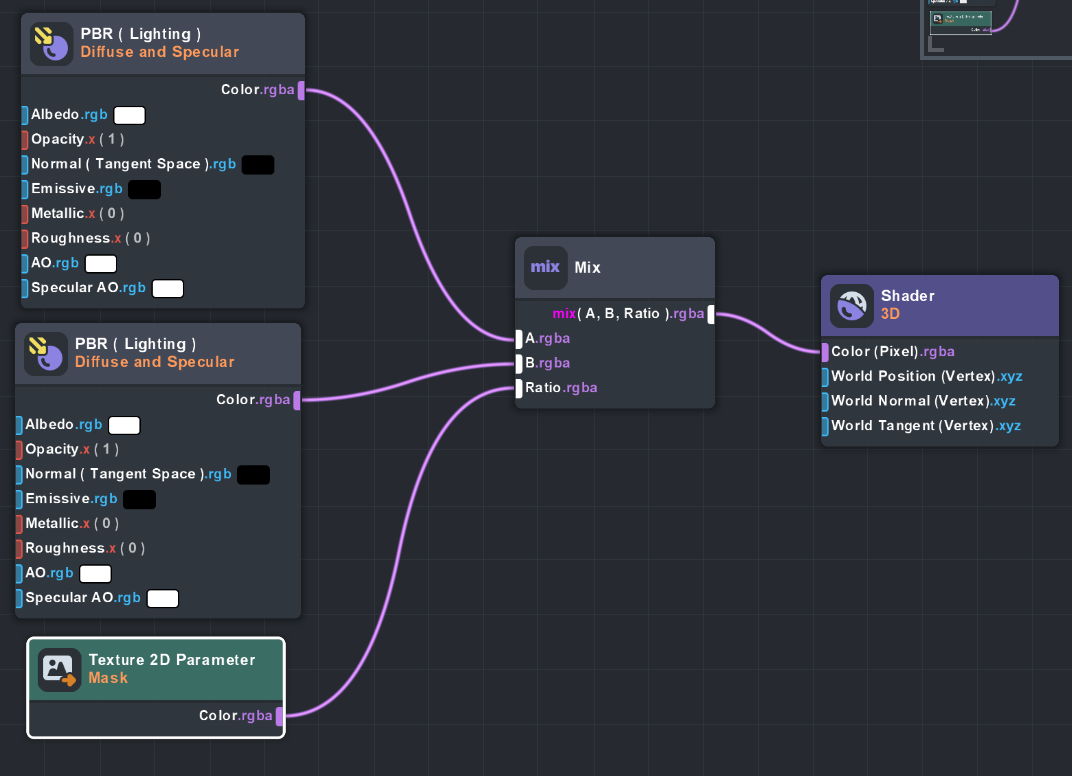
Hope this helps!
Best
Olha