Stopping Audio When Mouth Closes

Hi,
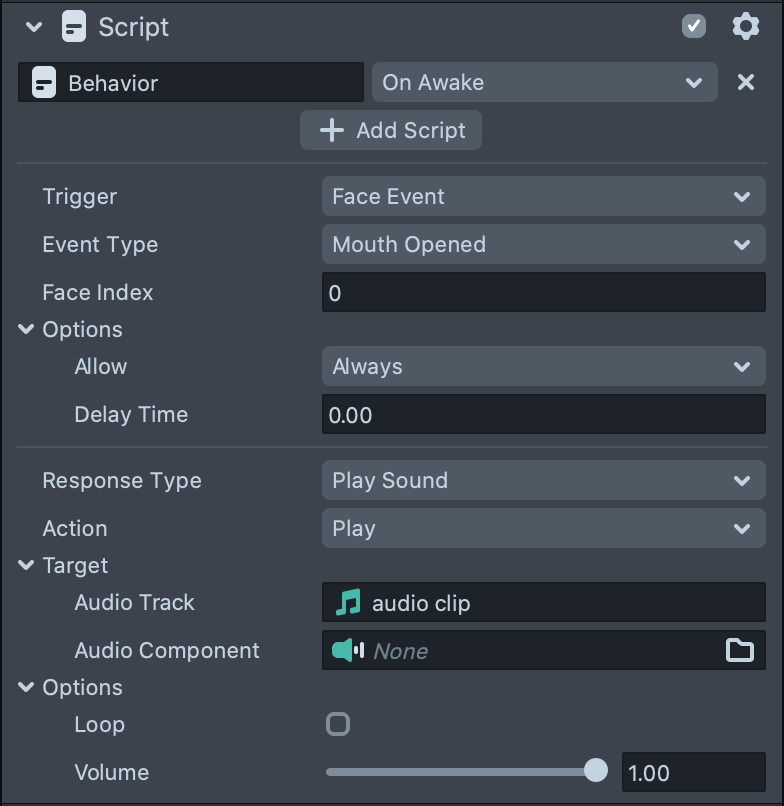
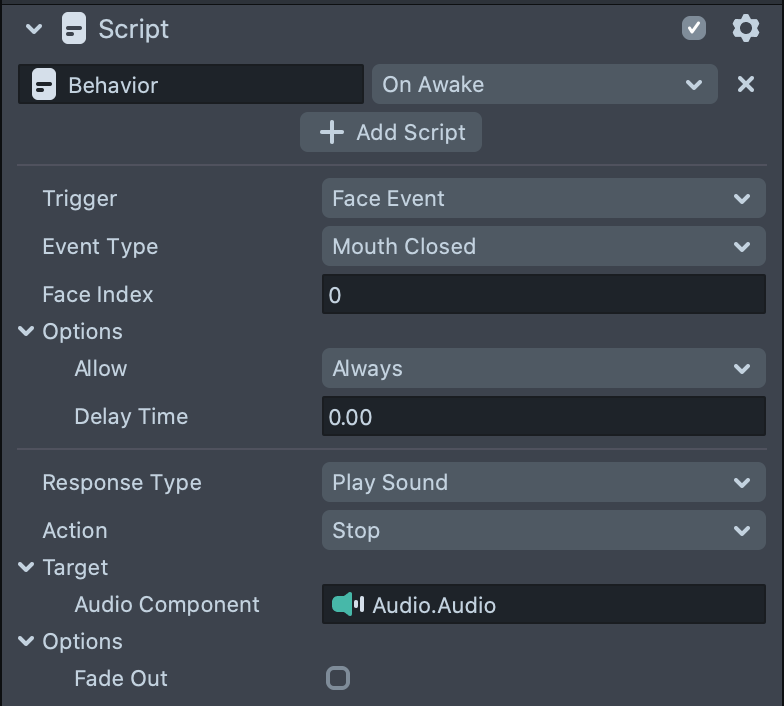
I've set up a behavior to trigger an audio clip to play when the mouth opens. Is there a way to stop that clip from playing when the mouth closes? I've tried creating another behavior that stops the audio when mouth closes, but that doesn't work. Screenshots below of the two behaviors.
Edit: switching the order of the screenshots

Hi glow ,
Solving the problem:
The first script is to
Mouth opened
play
the second script to
mouth closed
Stop
Hi,
That is what I have set up already and it doesn't work.
In the second behavior, you are selecting the audio component as a target without audio asset, however the first behavior is playing the audio asset
solution
attach both behaviors scripts to the audio component and select the audio asset as a target for both
Hi ibra,
I noticed that but the "audio track" option disappears when you change the action to stop, which is why I had dragged the audio clip to the components section to try.
However, I just tried the second script to be "set enabled" > target: audio > action: disable. This does stop the audio clip when my mouth is closed, but when I reopen my mouth, it doesn't play again. Any ideas?
TIA!
Hi
Try to re enable it again when mouth open and make sure the audio is auto play and not enabled on awake
1-go to audio component
2-make it auto play
3-Disable the audio component
4-add behavior script to enable audio component when mouth opened
5-add behavior script to disabled audio component when mouth closed
thanks