filter get deleted

Please help me, my 3 filters that i made got deleted for no reasons. They said
This Lens was rejected
This Lens submission was rejected for violating our Guidelines. Please review our Community Guidelines and Lens Submission Guidelines Please update this Lens to comply with our Guidelines.
Reason for rejection:
- This Lens has been removed due to a violation of our terms or guidelines. Please review our guidelines: https://lensstudio.snapchat.com/guides/submission/submission-guidelines/ and update your submission
- This Lens contains brand imagery associated with Snap Inc. Please ensure all Snapchat logos conform to our Brand Guidelines: https://storage.googleapis.com/snap-inc/brand-guidelines/snapchat-brand-standards.pdf
but there is nothing wrong about my filters. It tooks me hours to make them can u please help me anyone

Hey there Rafael,
Can you send a picture of what your lens is? According to the messages it says that the filter has something associated with Snapchat.
hey this is the lens. there is fairy wings a sharpen filter and some lighting. is there anything wrong?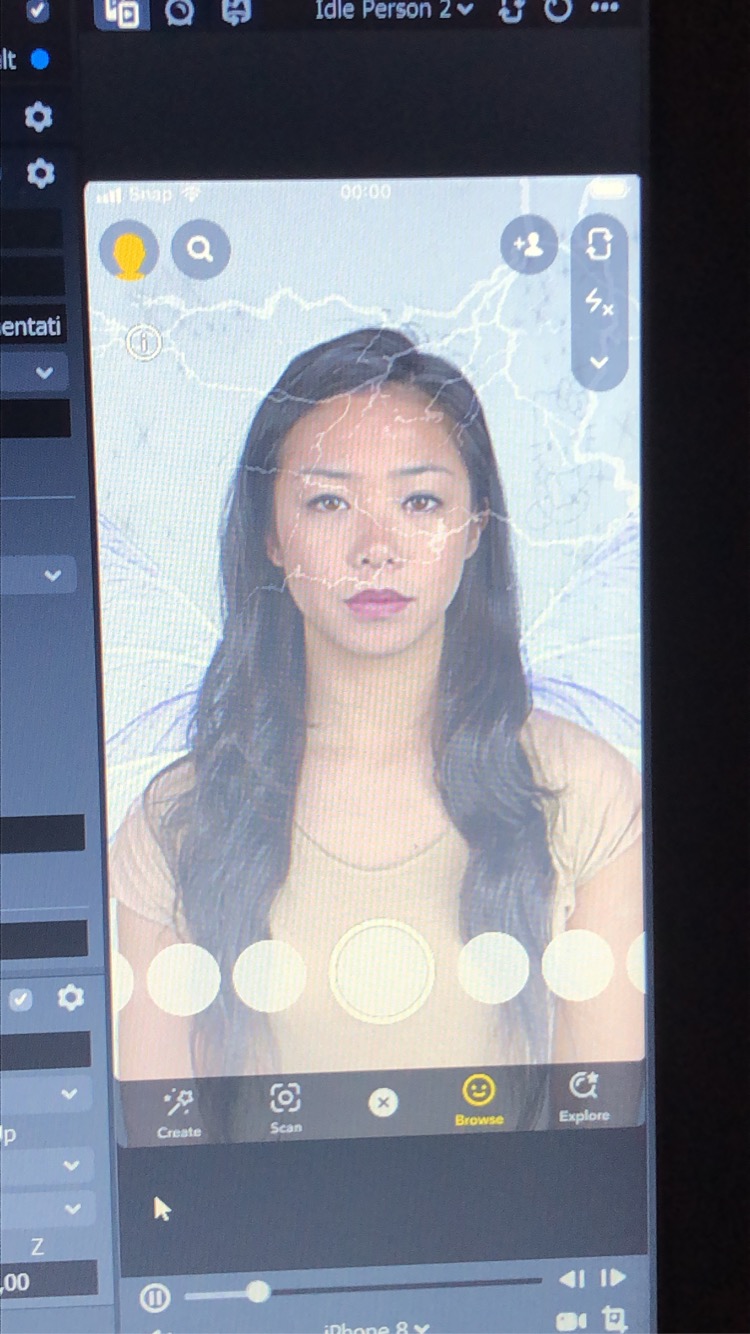
Hey rafaelgagnon
Do you add anything like "add me for more filters" or so in the preview media? Can you also tell us what the violating component is? If its only the preview media than it can be easily solved.
Cheers,
SirQu3ntin
Yes i added a add me for more filter im gonna delete the text and see if it works thanks!
No problem, i hope it works!
also SirQu3ntin my other filter got deleted and it was a Playboy logo. and they said:
Reason for rejection:
But there is nothing. it's literally a Playboy logo.
Hi Rafael, the playboy logo is copyrighted. I would suggest avoiding all branding, logos etc that you don't have permission to use in the future
- Alice
Truly I added an add me for more channel im going to erase the content and check whether it works much appreciated! blogger at : my music goal