[Guide] Solving the problem of large size of gif images

Hello
I have tried the new templates
and I enjoyed that
they are so great
But the problem you may face when designing is the size of gif images
Look at this example:
Here is when I had the problem:
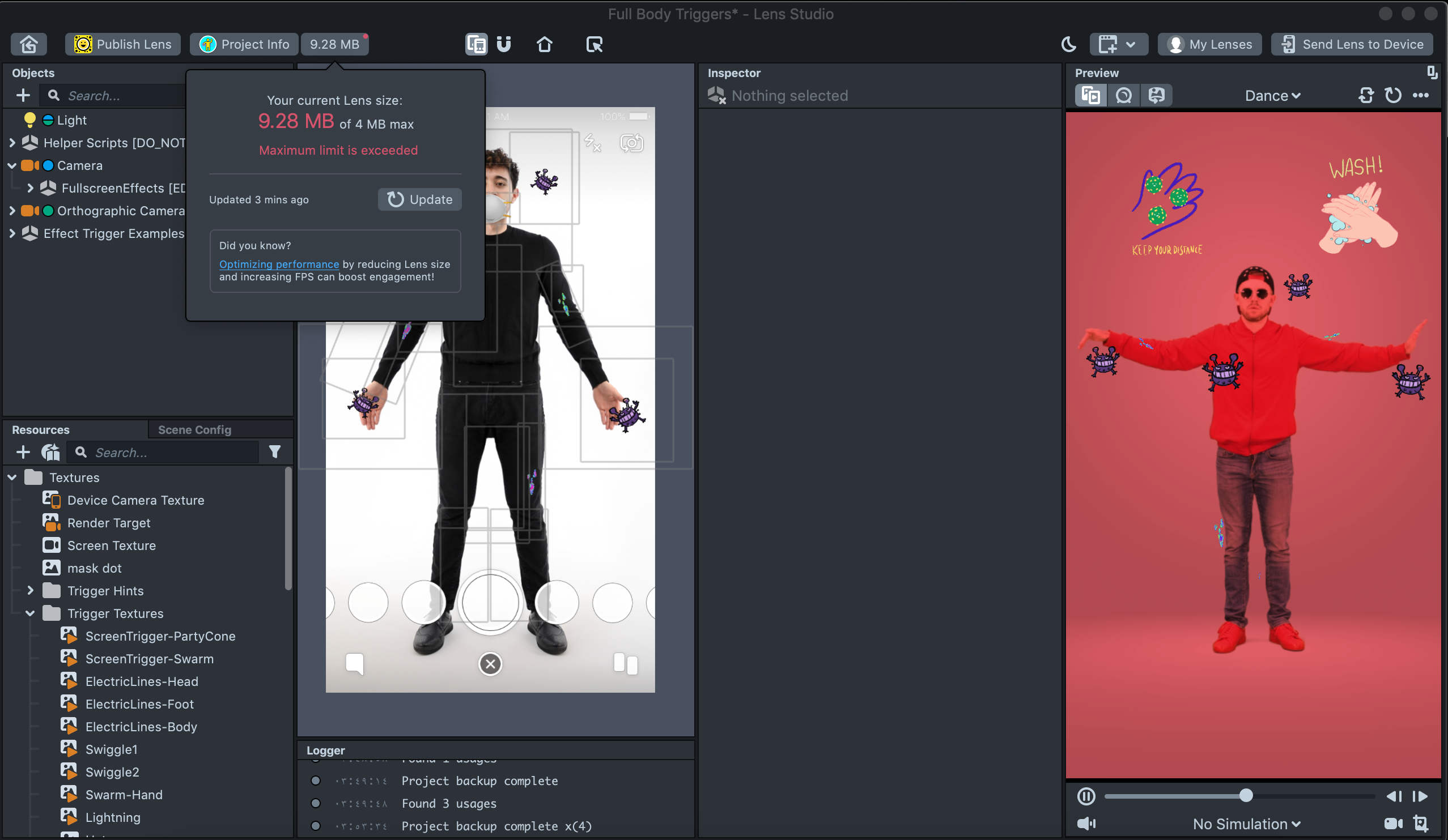
Here is after the images have been compressed:

Notice the size before and after the adjustment
There are many solutions to overcome this problem, such as some programs and applications
But the easiest solution to compress and reduce the volume of gif images effortlessly is to use the services of this website:
Ezgif.com
This order matter is carried out as follows:
1- Go to the website on this link:
2- Select resize section

3- choose the file
Then click on upload

4- Select the image size:
Here, I have selected 250 * 250
Then click on resize image
And wait for the process to be completed, (it doesn't take long)

The website is one of the best websites, it is the most commonly used to me, and it is not limited to reducing size, but it has many advantages, I advise you to try it
That is where the lesson ended.
In the next lesson I will present you with a set of resources that you may need in designing lens
This is an example of some of the lens in which gif images have been used:
https://www.snapchat.com/unlock/?type=SNAPCODE&uuid=156b4e57333c41079f609cb9bed11f0c&metadata=01
https://www.snapchat.com/unlock/?type=SNAPCODE&uuid=651c18d44b3348f7874be36d18238a5e&metadata=01
https://www.snapchat.com/unlock/?type=SNAPCODE&uuid=f93ab537ea4f4186a02653d5d15d868e&metadata=01
You can also find all my work here:
https://lensstudio.snapchat.com/creator/q7JHINBRVD6ruOB5xX56Kg
In the end, I hope that this simple explanation will impress you and be able to help you. See you in the next lesson.

Thanks for that guide!
Thanks , SirQu3ntin