How can I change the texture of an image without changing the original object?

I have a "Card" object that gets copied multiple times. I have tried both making the card a Prefab that gets instantiated, and making it an object that gets copied (via copySceneObject).
In either case, when I try to change the texture of the new image (via img.mainPass.baseText = script.myTexture) the texture of the original object/prefab changes as well. So all the cards end up having the same texture.
Is there a way to copy a card and change the texture only of the new card? I'm guessing the answer is either super easy, or impossible xD
Thanks :)

you can make a script so it changes the texture of the new card you can get this done by a new material just put it so that the scripts display that specific material.
if this is not what you're talking about can I see your project so I can help you out more?
ItzJustSamu I think that might be it! But I don't really know how to use materials, how would I create a new material?
Oh I see your struggling with materials ok ill help you out down below just follow the steps on how to add texture onto a material
Click Simple PBR if you're not messing with the material editor
Now just click the texture and the checkmark and just add the pictures your gonna add
now I'm going to use a box from the (Object Panel -> + -> Mesh -> Box) to display the material I just made
Now with that box I just made just click material and change it to the Simple PBR material that I just made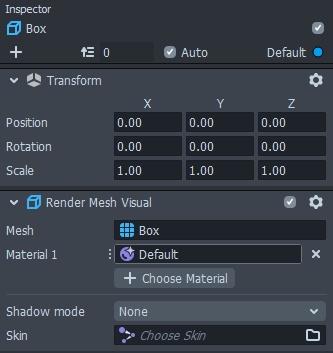
And Done that's all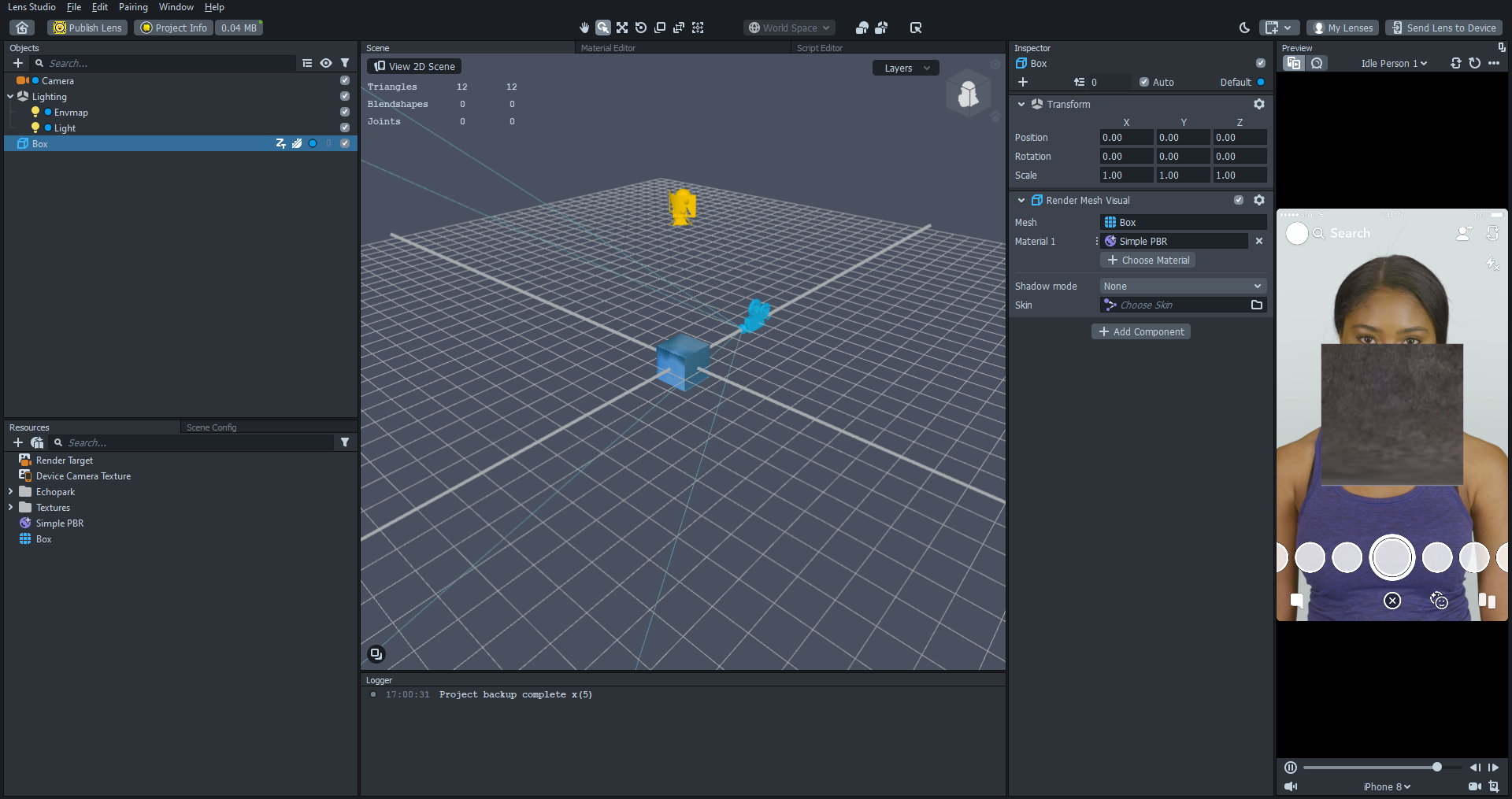
Click this guide below to view Lens Studio's Team example
its a long example but its very information mines is just a quick adding material to an object like say for example your card
https://lensstudio.snapchat.com/guides/material-editor/welcome-to-material-editor/
ItzJustSamu Thanks for your help so far!
I added a material for every image file I wanted. Then instead of changing the texture for the Image component, I changed the material. It worked! I also changed the material to 'Unlit' and the blending to 'Normal', then it looked the same as the default Image component texture.
Thanks again!