make Style Transfer easily.

كيف نصنع عدسة Style Transfer
بسيطة جدا
1- ندخل على موقع قوقل كولاب
Log in https://colab.research.google.com
تابع الشرح بالصور
2- File 
3- Upload notebook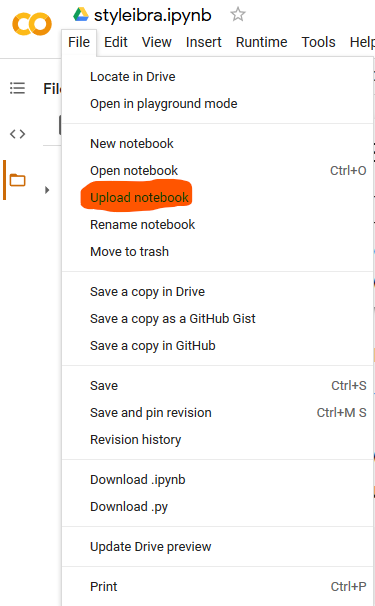
4- download حمل الملف
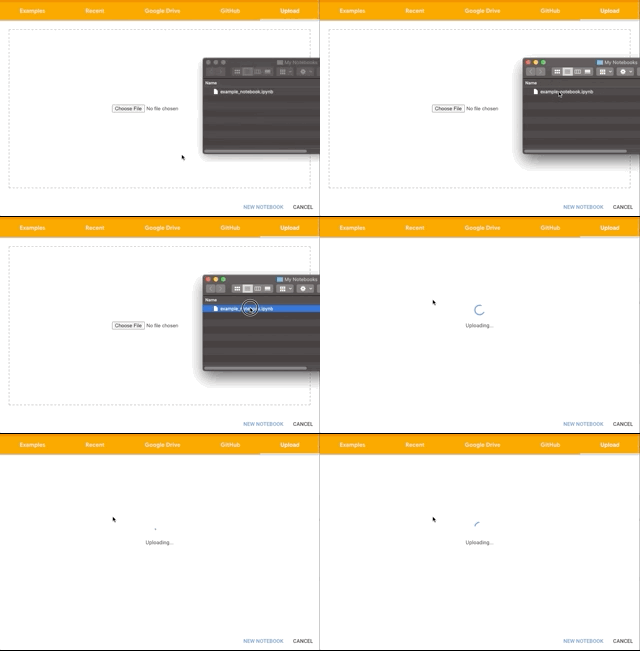
5- drag the notebook to the upload area.
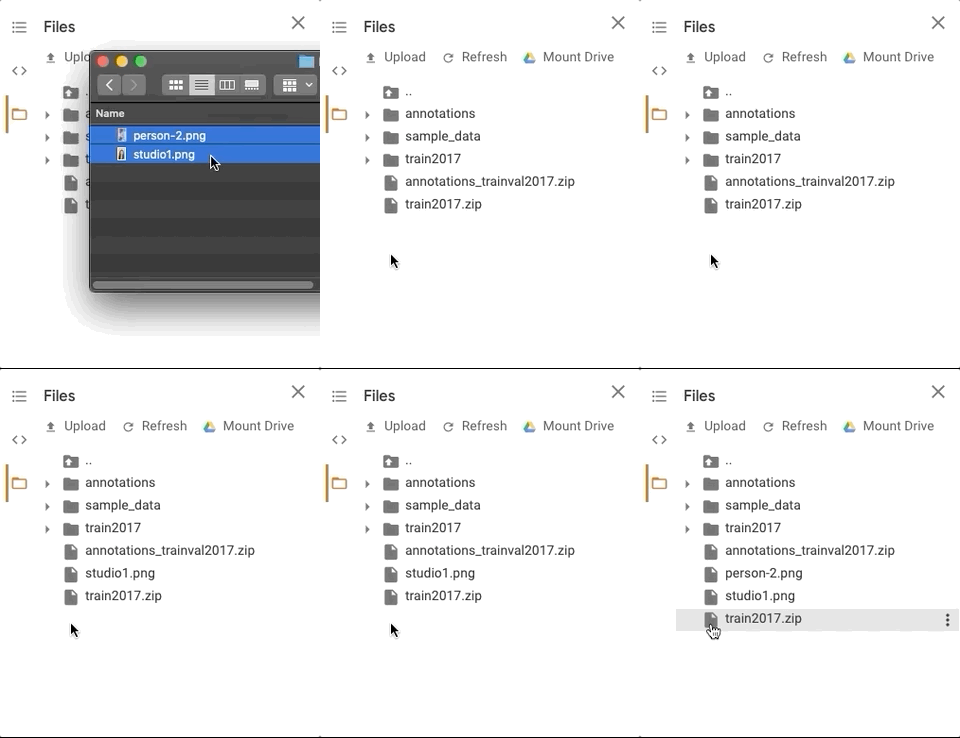
6- Once your notebook has been opened, you can add your style reference image. You can also add an image to test your results on
ارفع صورة الاستايل + صورة للاختبار
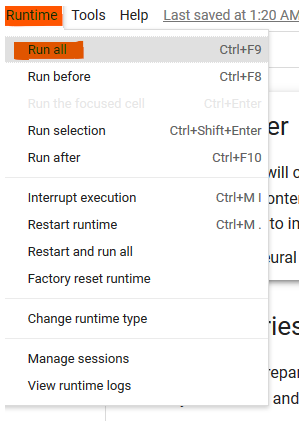
7- شغل الكل
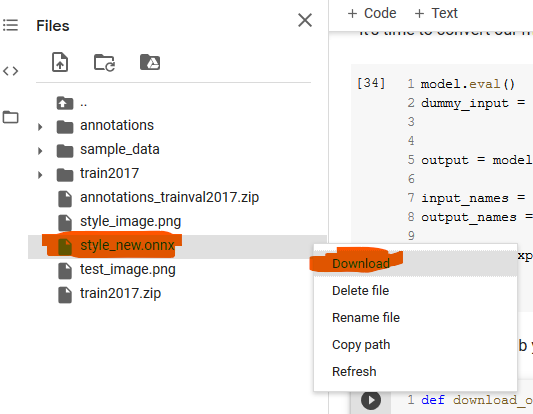
8- Once you are happy with the result, you can download your .onnx model!
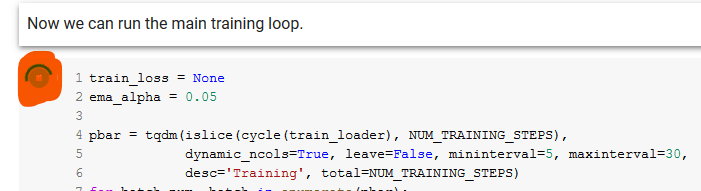
لما تعجبك صورة الاختبار سو إيقاف وكمل الخطوتين اللي بعدها عشان تحمل الموديل مو شرط تنتظر للأخر
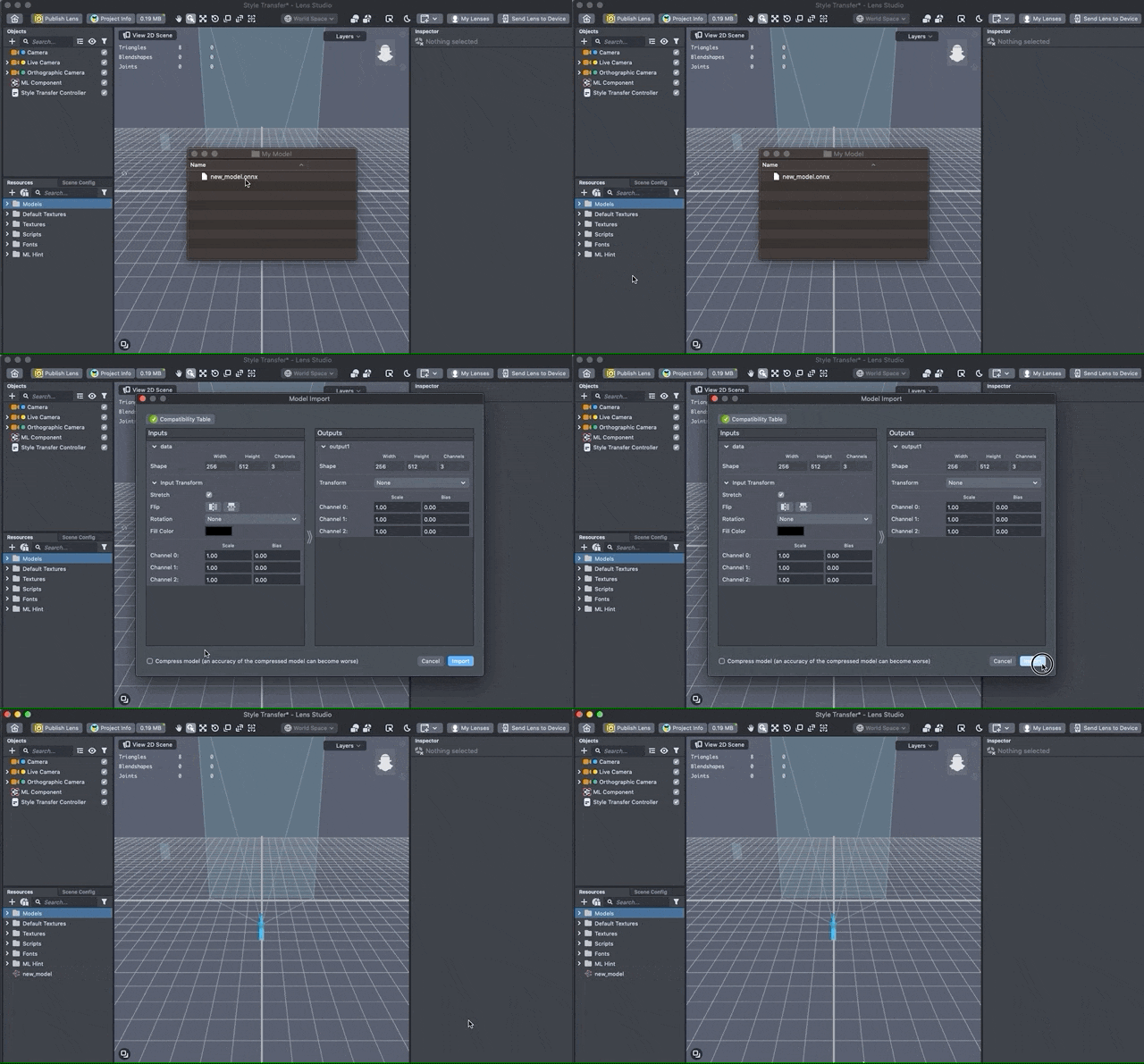
9- Importing your Model
Now that we have our model, we’ll import it into Lens Studio.
You can drag and drop your .onnx file into the Resources panel to bring it into Lens Studio.