How do I apply my project info?

Hey! so I am having trouble applying my project info. I am able to name my lens and add an icon, but there is no "apply" button shown on my screen so I exited but it went back to the default project info. Please help, it will not let me publish my lens because I am not able to change my project info even though all requirements are met.

update: i see the apply button but it is at the very bottom of my screen, so i try to pull it it and then click but it does not fit all in my screen
update: i see the apply button but it is at the very bottom of my screen, so i try to pull it it and then click but it does not fit all in my screen
Have you tried to uninstall and install lens studio again?
If so,
In that case, you will need to submit a bug report.
Open lens studio,
Click "help" and click report an issue
This will send in everything they need to know
uwu, thanks for the report!
Can you please share display config you used - DPI, Resolution, Scale?
Also, would appreciate a screenshot.
Thank you,
Pavel
I've go the same issue, here is a ss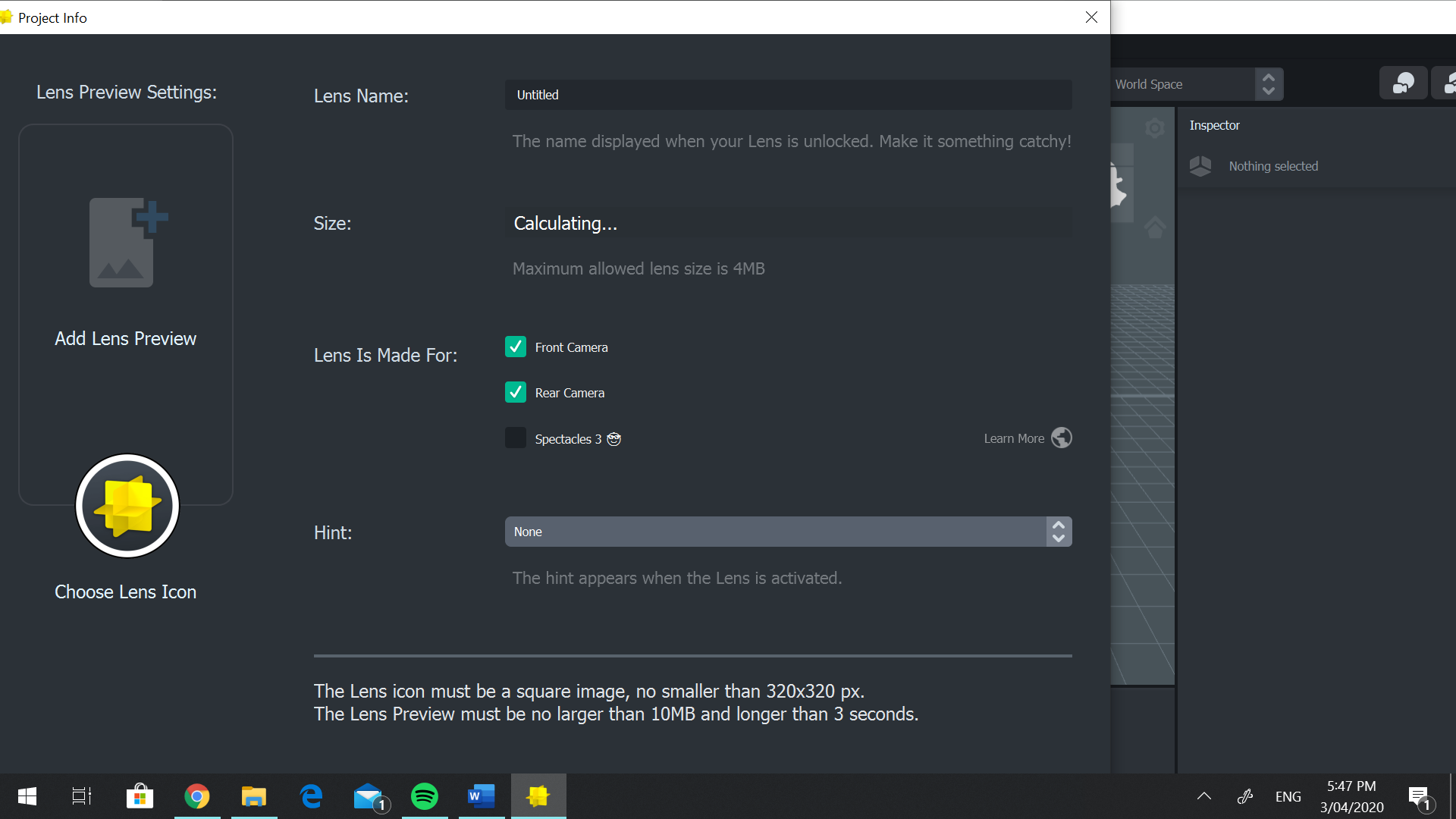
Hi! I have the same problem as both of them, but when I try to report the bug, the "send" wont fit on my screen either. What should I do now?
Right click on desktop, display settings and try changing your screen res. This a bug so it will most likely be fixed but for now try this out.
Hi! Thank you so much for responding! Where do I right click? I have a bunch of tools open so I don't know what it looks like. If you could send a screen shot that would be amazing!
Try switching through some of these and let me know if it fixes the problem.
If that doesn't work try grabbing the window(the one where you change the name of the lens and its info) and moving it around
OMG THANK YOU SOOOOOOOOOOOO MUCH! IT WORKED!