ChromaKeyMaterial Problem with Videotexture.

Hey All.
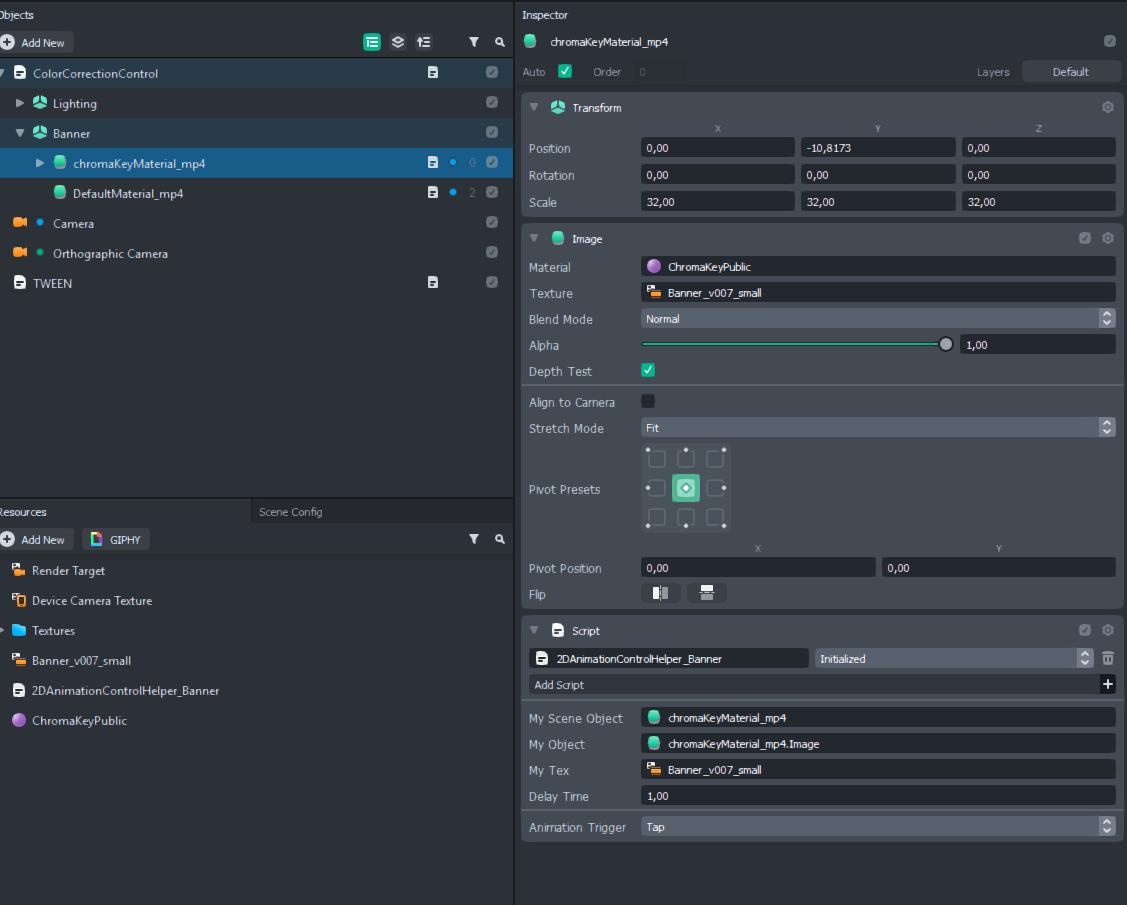
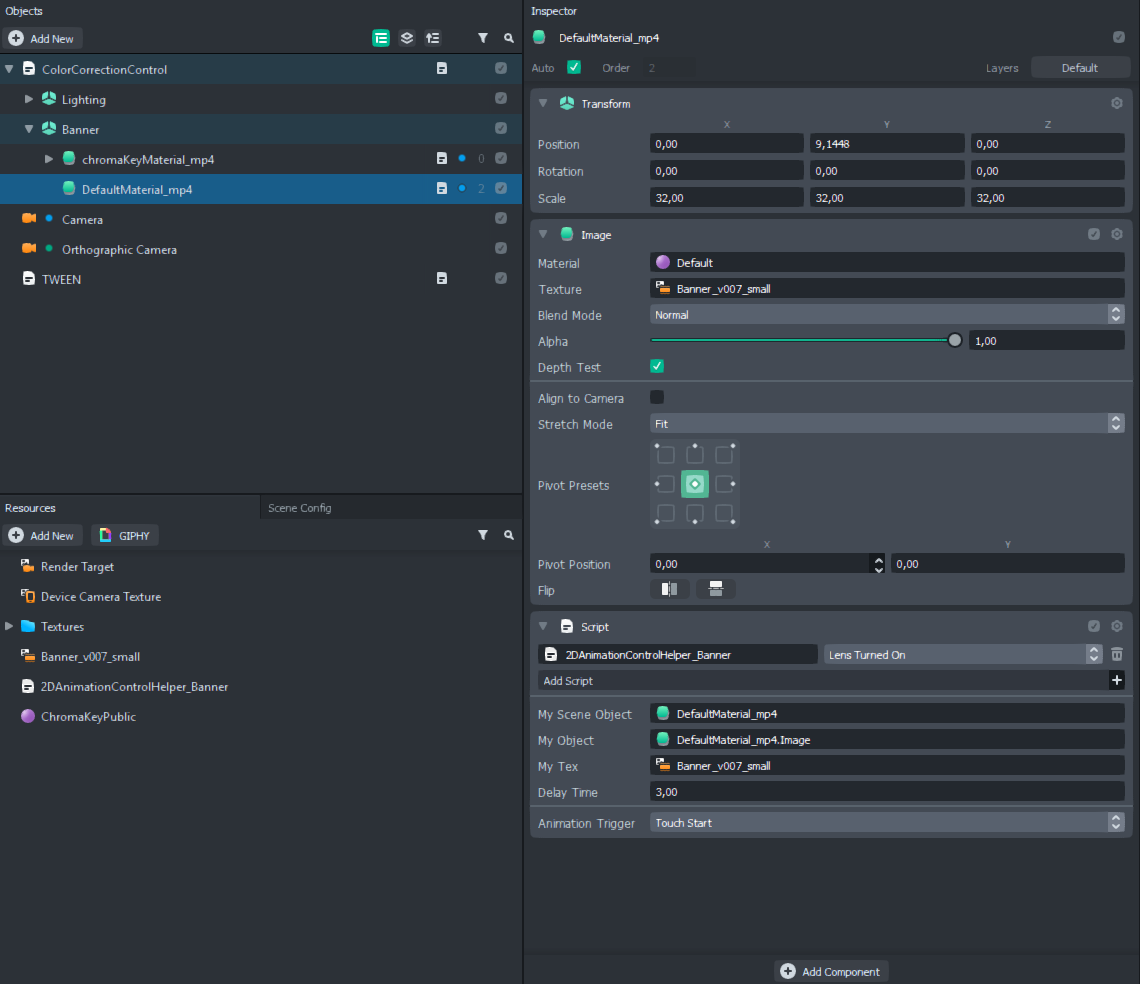
I downloaded this chromakeyMat from the Forum, and I have probles controlling the mp4 Video in the texturechannel. I applied the very same script to two Objects - one with the ChromaKeyMat and one with the DefaultMat. My Script only works on the Default Mat and I cannot see what I am doing wrong:
ChromaKeyMat:
DefaultMat:
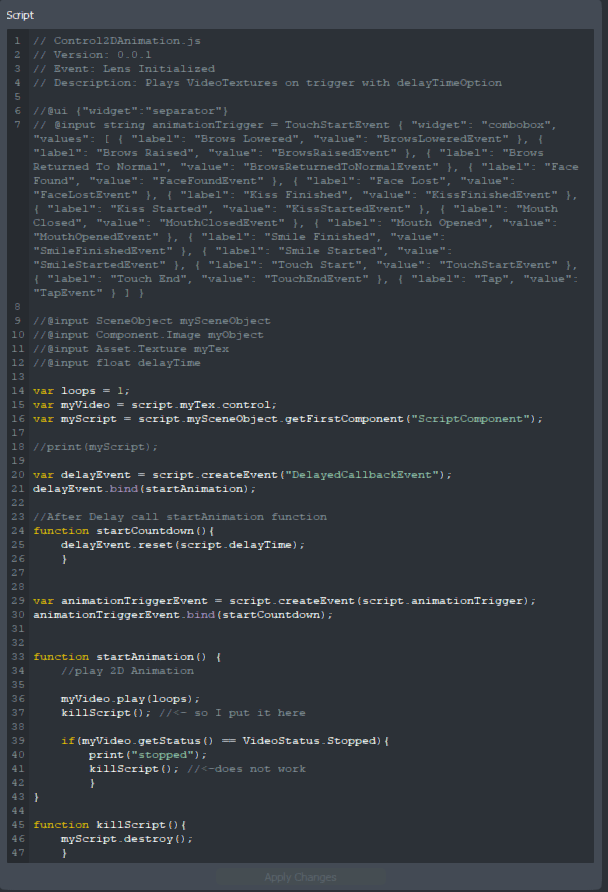
Script:
// Control2DAnimation.js
// Version: 0.0.1
// Event: Lens Initialized
// Description: Plays VideoTextures on trigger with delayTimeOption
//@ui {"widget":"separator"}
// @input string animationTrigger = TouchStartEvent { "widget": "combobox", "values": [ { "label": "Brows Lowered", "value": "BrowsLoweredEvent" }, { "label": "Brows Raised", "value": "BrowsRaisedEvent" }, { "label": "Brows Returned To Normal", "value": "BrowsReturnedToNormalEvent" }, { "label": "Face Found", "value": "FaceFoundEvent" }, { "label": "Face Lost", "value": "FaceLostEvent" }, { "label": "Kiss Finished", "value": "KissFinishedEvent" }, { "label": "Kiss Started", "value": "KissStartedEvent" }, { "label": "Mouth Closed", "value": "MouthClosedEvent" }, { "label": "Mouth Opened", "value": "MouthOpenedEvent" }, { "label": "Smile Finished", "value": "SmileFinishedEvent" }, { "label": "Smile Started", "value": "SmileStartedEvent" }, { "label": "Touch Start", "value": "TouchStartEvent" }, { "label": "Touch End", "value": "TouchEndEvent" }, { "label": "Tap", "value": "TapEvent" } ] }
//@input SceneObject mySceneObject
//@input Component.Image myObject
//@input Asset.Texture myTex
//@input float delayTime
var loops = 1;
var myVideo = script.myTex.control;
var myScript = script.mySceneObject.getFirstComponent("ScriptComponent");
//print(myScript);
var delayEvent = script.createEvent("DelayedCallbackEvent");
delayEvent.bind(startAnimation);
//After Delay call startAnimation function
function startCountdown(){
delayEvent.reset(script.delayTime);
}
var animationTriggerEvent = script.createEvent(script.animationTrigger);
animationTriggerEvent.bind(startCountdown);
function startAnimation() {
//play 2D Animation
myVideo.play(loops);
killScript(); //<- so I put it here
if(myVideo.getStatus() == VideoStatus.Stopped){
print("stopped");
killScript(); //<-does not work
}
}
function killScript(){
myScript.destroy();
}
Anyone an Idea?

Hi El Be,
Hmmm, the material should work as expected.
In the screenshot your shared, you have both images and script active at the same time. One thing to note is that since they are pointing to the same texture, which means the script will be trying to affect the same resource.
If you have both objects and scripts at the same time, when you tap, the first instance will try and call “play” and right after the second script will call “play” . When calling play on a video that’s already playing, you will get an error. You should see this in your logger “Calling play from invalid state”. Due to this error, some of your scripts may stop working.
To prevent this error we need to check whether we can play the video before playing it:
if (myVideo.getStatus() != VideoStatus.Preparing) {if (myVideo.getStatus() == VideoStatus.Playing) {
myVideo.stop();
}
if (myVideo.getStatus() != VideoStatus.Playing) {
myVideo.play(1);
}
}
For your second question, the reason that the killScript within the VideoStatus.Stopped check is not being called, is that, in the previous line we’ve just asked for the video to be played. Since the entire script is executed in the same frame, at this point the video’s status is not stopped.
Let me know if you need any clarification!
Thanks,
Jonathan