Can't find lens on SnapCam

Hey,
cant find my Lens on SnapCam, can you help me ?
Thx :)
https://www.snapchat.com/unlock/?type=SNAPCODE&uuid=57a63be385ca44aba308a8556c253b30&metadata=01
Hey,
cant find my Lens on SnapCam, can you help me ?
Thx :)
https://www.snapchat.com/unlock/?type=SNAPCODE&uuid=57a63be385ca44aba308a8556c253b30&metadata=01
What system are you using?
Have you downloaded the latest version of Lens Studio?
Is this issue causing Lens Studio to crash?
Version
Graphics
Attach a screenshot of the issue:
Name:
Email:
What is this most relevant to?
Please enter a brief description of your issue:
Unfortunately, it's likely due to the operating system or hardware you're using – since they don't meet the system requirements for Lens Studio.
Still, we hear you loud and clear, and are logging the issue in case there's ever a workaround we can provide!
Minimum Requirements
Operating System: Windows 10 (64 bit); MacOS 10.11+
Hardware: Minimum of Intel Core i3 2.5Ghz or AMD Phenom II 2.6Ghz with 4 GB RAM; Intel HD Graphics 4000 / Nvidia GeForce 710 / AMD Radeon HD 6450 or better; screen resolution of 1280x768 or higher
Keep an eye out for a followup email from us. We may have a couple more questions for you, or we might already have a solution to offer.
Happy creating!

Hey spongie,
In order for Lenses to appear in Snap Camera, you need a combination of things: a live Lens; popularity; and adherence to the Lens Studio Submission Guidelines (so that the content is appropriate for the public). To add a Lens, boost its popularity by posting it on the forum or other social sites as recommended in this guide. Given this, if you think your Lens should still show feel free to pass along the Lens ID so we can take a deeper look.
Cheers,
Karolina
Dear Karolina,
Let me join the discussion because I have a similar problem.
Could you please give us a little bit more details about these "popularity" requirements? I already have hundreds of Views, and still can't find Lens in SnapCamera. So could you please give us specific values that are needed?
It would be nice if we can get more info in My Lenses status like "you have 600 out of 1000 Views needed to go public".
Furthermore it is a necessity to have an option to show "private" Lens in a SnapCamera (by scanning the code for example), because now it is hard (impossible actually) to test your work in SnapCamera (I know there is a preview in LensStudio, but it doesn't work exactly the same).
My profile BTW.: https://lensstudio.snapchat.com/creator/Z2JLUFj2YyDJyF-YGPVxhQ
Best regards.
Hi INTEGENCE,
Snap Camera isn't set-up to support testing of Lenses in the way you've described, however we are working on improvements to make this even easier in Lens Studio. For now, please select the landscape resolution in Lens Studio (I've attached a screenshot). This is most important when you are building a Lens that includes elements attached to the screen, like a Billboard. More details can be found in this Guide as well.
Cheers,
Karolina
I'm sorry but that is quite ridiculous. Popularity is a prerequisite? I honestly do not see a point. The lenses are already on your server. Having a prerequisite like that will definitely discourage some users.
Hi Karolina,
Thanks for your kind answers, but unfortunately it doesn't solve any problems. As I said - I know there is LensStudio preview, but as I also said it is really not enough for professional work.
Every true developer want to test his product on the target device. For example when you create mobile app, you may work on some kind of emulator during production, but in the final phase you want to test it on a physical smartphone.
LensStudio doesn't even have a Fullscreen preview mode and can't share the output stream like SnapCamera do. So it is not really useful to test Lens in the target environment.
What We really need is just an option to run a private Lens in a SnapCamera. Why it is so much impossible, when you can run it easily in Snapchat? I see a plenty of options to do it really easy - for example:
---
The second aspect is that we still don't know what requirements for "public" Lens really are. You didn't give us any definition of this mysterious "popularity". In other topics I found some information about 100 views which I meet long ago, and it doesn't really help.
I would like to use Lenses in contests, events and other kind of marketing stuff. I see a lot of potential in it. But I can't really use it when I don't know when my Lens will be available or if it will be available at all.
We need:
---
I checked several pages in this forum and I found plenty of threads on the same problem so IMO it is an important issue to solve.
Regards
Hello!
We totally understand the need to test in a more realistic environment and are working on resolving this as well along with being able to find all approved Lenses in Snap Camera, as soon as these updates are live we will be sure to update you.
Regarding your contest question, are you looking to run a contest on Snap Camera or just with the Lens within Snapchat? To answer your other questions.
Cheers,
Natasha
Hi All,
Good News! You can now unlock a Lens by its Lens Link in the latest version of Snap Camera. This means, you can find your Lens by pasting the Lens link into the search bar in Snap Camera as soon as the Lens is live.
Download it here!
Happy creating!
Outstanding. I am unsure why it wasn't like that in the beginning but no matter. It is here now.
for some reason my clipped link will not post on the search area to find my lense i made. i even typed it on their and it did not work help please.
https://www.snapchat.com/unlock/?
type=SNAPCODE&uuid=5b7d3c2feb494021bb969c4063d0e074&metadata=01
Hi,
You should be able to search for your Lens by pasting your full Link into the search bar -
https://www.snapchat.com/unlock/?type=SNAPCODE&uuid=5b7d3c2feb494021bb969c4063d0e074&metadata=01
Cheers,
Karolina
Why can't I find /add Snapchat's official lenses
Like this one:
https://www.snapchat.com/unlock/?type=SNAPCODE&uuid=eb9cc5321d13481d860afa0358176d3e&metadata=01
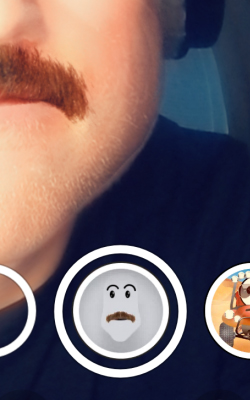
Name: Mustache
It says No Lenses found! Try changing your search! :)
I have the same problem, lens links don't work in Snap Camera.
I using version 1.10.0 of Snap Camera on macOS Catalina 10.15.
I keep seeing a message saying that Lens Links should work when pasted into the search field in Snap Camera but every lens link I try return zero results.
Even the ones made by SnapChat.
https://www.snapchat.com/unlock/?type=SNAPCODE&uuid=dc6a7589a13f49eea647591ab428bb67&metadata=01