AR Object Camera Focus

Hello,
I have created a few custom lenses with for a static object I would like people to pose with using the rear camera. My lens meets all the submission criteria and everything runs well, but the camera focus is poor. The static object itself is sharp, but people are generally blurry or out of focus.
Am I doing something wrong or is there a way to fix this? I have not published, just previewing it on my device from Lens Studio.
Thanks!

Hi Jordan,
Sorry to hear you're having that issue! This doesn't sound like it could be caused by your lens, is it happening with other lenses too? Do you see it in Snapchat without lenses turned on, or in your phone's standard camera app?
Sorry for all the questions, but it's hard to tell where the problem could be happening. If you'd like to share some information about your phone (iOS/Android, device model) that could help as well.
Thanks,
Jacob
Hi Jacob,
Thanks for the response. I am using iPhone X with the latest version of iOS and Snapchat.
I ran a few tests this morning and there are no focus issues with the standard camera app or other Snapchat filters. Because I did not have another static object Lens, I synced the example in Lens Studio and it seems to allow me to easily tap the subject (for example a person) after I've tapped the ground and placed the object. Tapping the subject puts them in focus. My Lens' static object is tall and skinny and I think it might have something to do with the box you place around it.
Any suggestions? I have submitted a photo to show you what my lens looks like.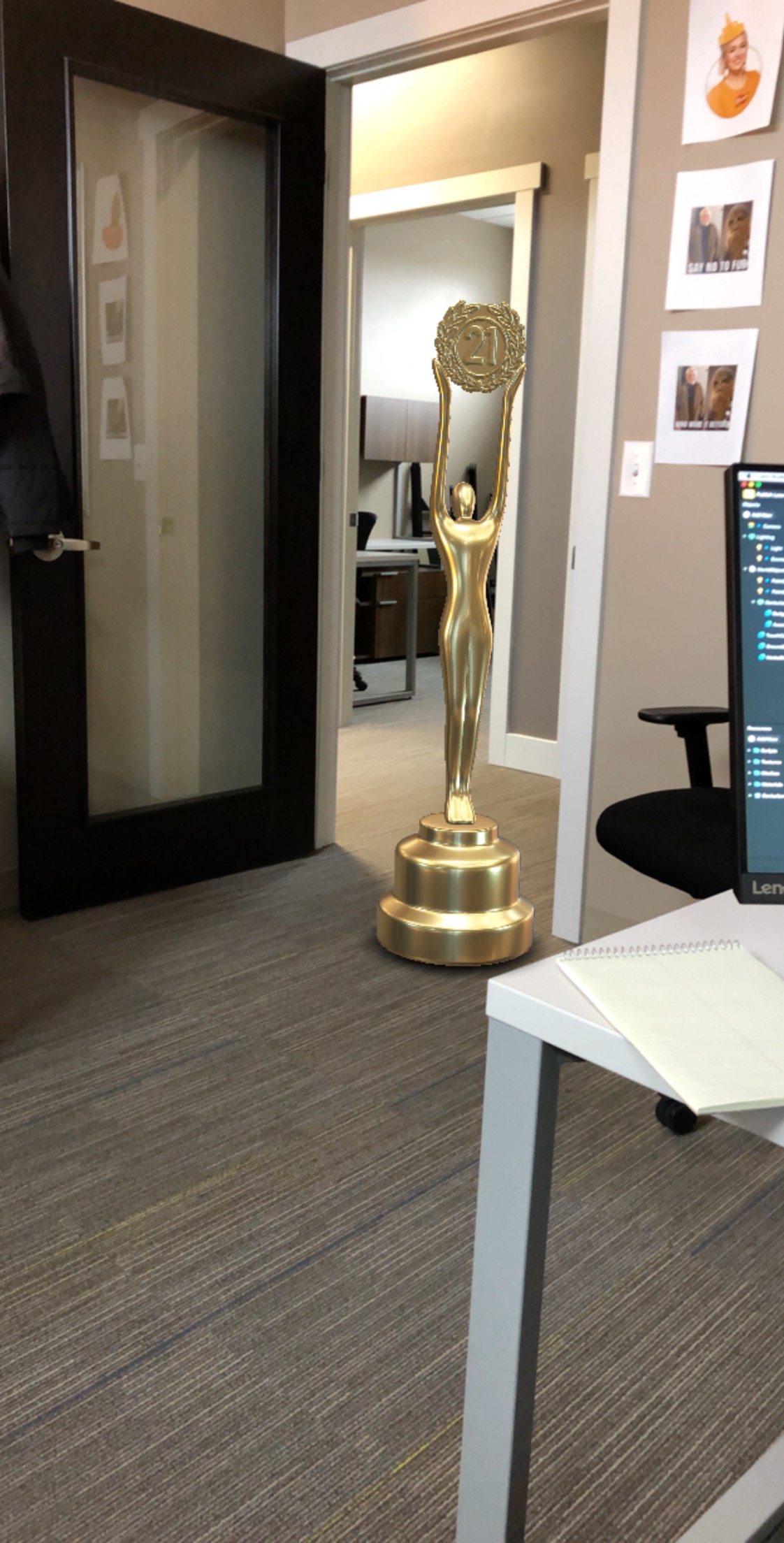
Hey Jordan, thanks for the info and picture!
Like you mentioned, it's likely caused by the "TouchCollision" object. Since it's used for manipulating the main object, it blocks any taps that touch it from being registered as focusing. So it could be the case that it's too big and is blocking the entire screen.
What you can do is resize the TouchCollision object to better fit the boundaries of your model. The Frame Tool is really helpful for this - you can use the hotkey "T", or look for this icon in the 3D toolbar:
If that doesn't solve your problem, I have one more theory of what could be causing this. On your Device Tracking component, did you switch Tracking Mode to "World", or enable Native AR tracking? ARKit being active can sometimes prevent the phone camera from refocusing, so you can try changing Tracking Mode back to "Surface" and and disabling "Use Native AR" if all else fails.
Hope this solves it! Let me know how it goes, or if you have any other questions about it.
Thanks,
Jacob
Jacob,
Thanks for the suggestions! I'll give it a shot and report back. Appreciate the awesome help.
Jacob, that did the trick, it seems easier to tap to focus on the person now.
With that being said, I have another question you might be able to help with. Is there a tool, option or script to prevent the user from scaling/zooming in with the camera. I want users to be able to scale the static object, but not zoom in.
Hey Jordan, glad that worked!
You can block touch inputs using Touch Blocking. You just need to enable touch blocking, then add exceptions for all the touch types you still want to allow. To only block zooming, you can use a script like this:
Or, you can do it slightly more compactly too :)
Awesome! I'll give that a shot!
yes its nice to see this feature but i tried tom apply it on my deviceher but cant access on it i will share the complete info with some one from you guys but if anyone knows why its happening bcz i need the guidance quickly.