Light affecting wrong side of model

Hey Lens Studio creators!
I'm having a weird issue where the model I pull in gets lit on the wrong side by the scene light. This may be a related issue to the normal alignment issues I was having earlier - when all the normals were facing out, it looked like I was looking at the inside of the character when I brought him into Lens Studio. So, I reversed them all and now the texture appears correctly. But it only appears lit when i turn the light in the opposite direction. What??
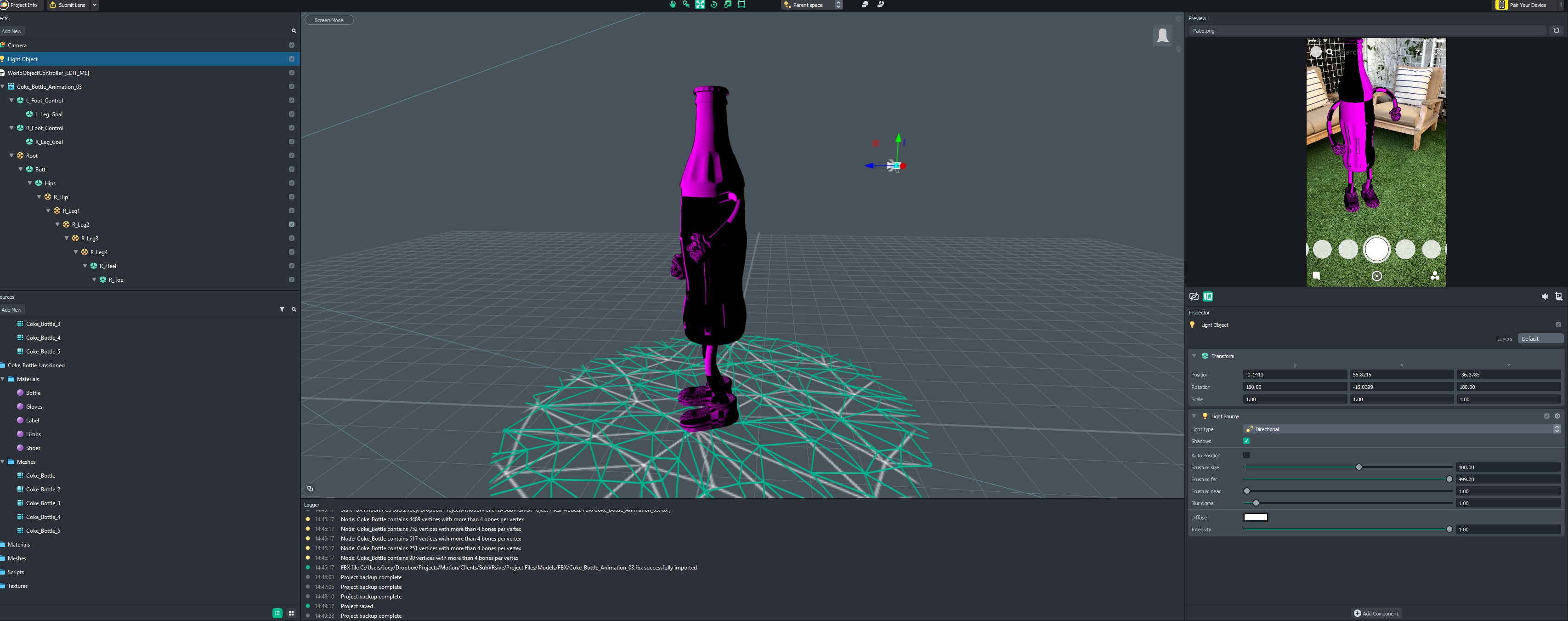

Ok, I figured it out!
The issue was with the normals. I had reversed them so they were all facing IN instead of OUT, and then when I reversed them again, I had to check the box for "two-sided" materials in Lens Studio, and now they are both showing up correctly and being lit correctly. Kind of odd that it doesn't automatically detect the direction of the normals for the materials - is there a more efficient way to do this?
-JJ
Hey Joey,
Glad that you figure it out.
It's better to check your normals in 3D softwares and make sure they are facing the right direction before importing them into Lens Studio. If your normals facing the right direction, you don't need to turn on the "two-sided" material which is more efficient.
In this example in Cinema 4D, I created a sphere and you can see that the yellow sphere polygons means that the normals is facing outward and the blue sphere means the normals are facing inward.
Please refer to your 3D program guide to learn more about changing the normals face.
Best,
Amir.