How do I create this portrait painting lens?

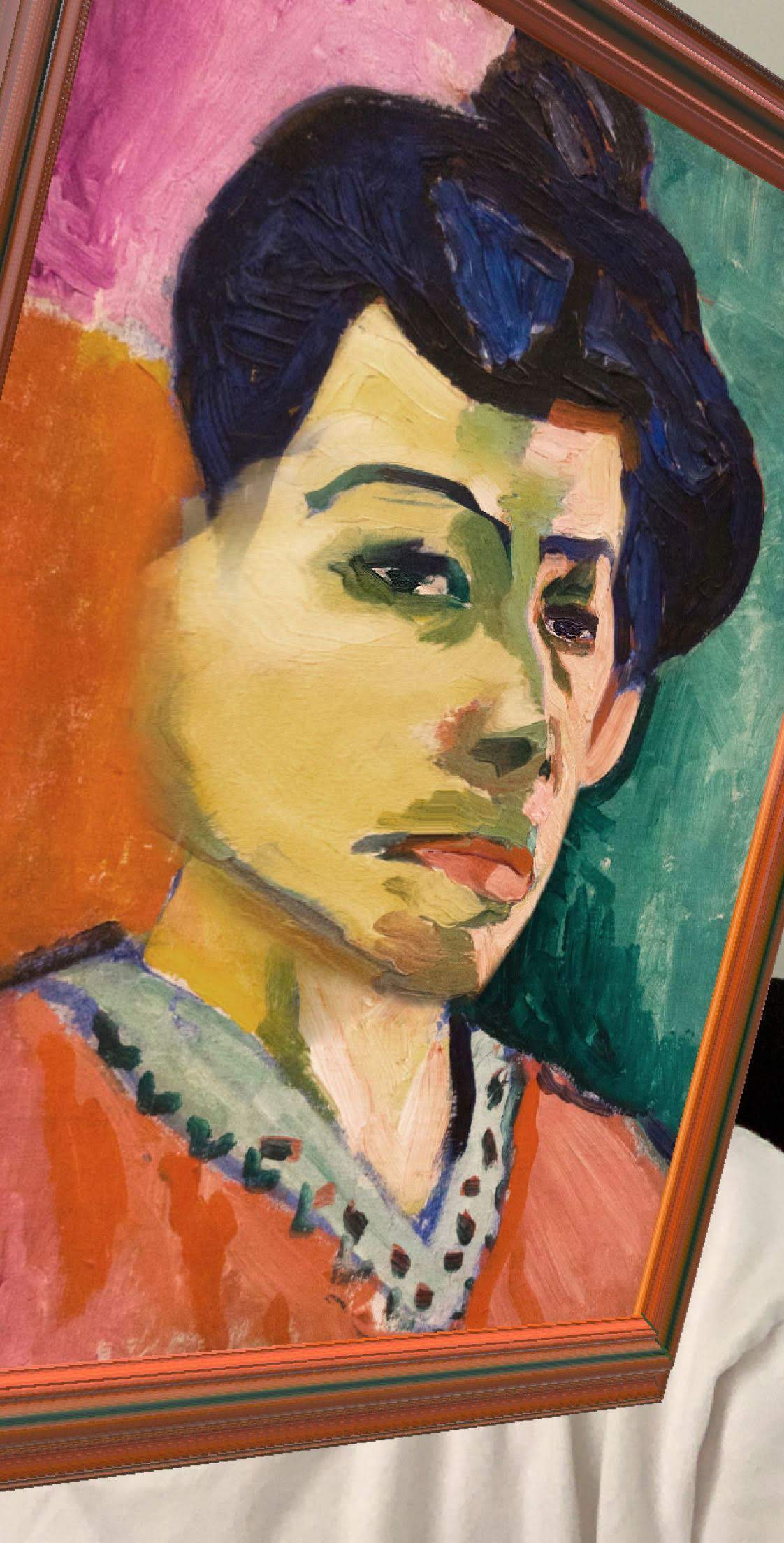

I really like CyreneQ's portrait painting lenses, like the one above. How do I go about making it?
CyreneQ's painting in her lens is 3D and moves with my head. I tried to recreate this with a 3D mesh box object and a face mask, but the face mask does not show teeth when I open my mouth. The 3D mesh box blocks my teeth from showing. Also, in CyreneQ's lens, the face mask joins the rest of the painting perfectly, but I can't get it work so perfectly with my method.
Can someone please help? Thanks~

Hi feitong lu,
Have you tried reaching out to Cyrene herself for the specifics? You can reach out to her via Snap or her email listed here: https://lensstudio.snapchat.com/creator/7HihiPm22AND9EfWih2zUg
Cheers,
Neha
You should be able to achieve a similar effect using a 3D box or plane with the painting texture applied. And then use the same texture and apply it to the face mask.
Here's a very quick basic example of how to achieve this, although there will be many different ways to achieve it.
Create a plane attached to the head binding with the texture on. What we want to do is occlude ONLY the teeth, so position the head occluder to only reveal the teeth. The rest of the face will be covered by the face mask later.
Place a facemask underneath the head binding and apply the same texture.This ensures it isn't occluded by the face occluder and draws on top.
Then position the mask to match up with the plane. Here/s a very rough example.
By positioning these points into place you can line it up with the background plane. Also take care that the alpha of the facemask fades to the edges and has the mouth cut out to reveal underneath.