Change Icon in Objects Panel to Indicate Object is a Prefab Instance

Here are three objects in my Objects Panel. They look identical, however "BoxWithBall Copy" is not an instance of a Prefab and will not update when I update "BoxWithBall Original (Now Prefab)".
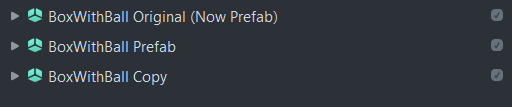
In order to tell if an object is an instance of a Prefab I have to select it and look in the inspector:

Ideally, the Icons would update (perhaps by color) to indicate that you're dealing with an instance of a Prefab:
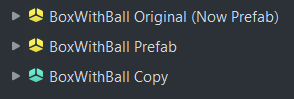
This becomes especially helpful when you start to nest non-prefab elements inside of a prefab:
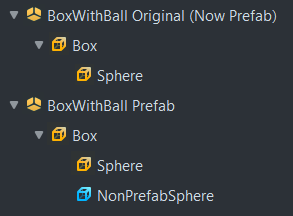
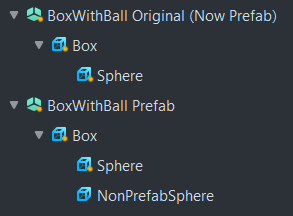
Alternatively, some sort of Dot or overlay could indicate it's an instance of a prefab - which, as I look at it, is probably preferable:
Thanks for your consideration.
