
We're here to help! We just need a little bit of information...
What system are you using?
Have you downloaded the latest version of Lens Studio?
Please download the latest version of Lens Studio. If you still run into this issue, please come back and report it!
Is this issue causing Lens Studio to crash?
What system do you run Lens Studio on?
Version
Graphics
Follow the next steps to help us solve your issue:
-
Copy and paste this text into your TerminalCommand Window
open ~/Library/Preferences/Snap/Lens\ Studio/ %LOCALAPPDATA%\Snap\Lens Studio Copy Text
- Press ReturnEnter to run the command. The Lens Studio folder will automatically open
-
Prepare to upload your files: zip the "Log" Folder by right-clicking and choosing "compress."Locate the Log.txt file right above it.
Attach a screenshot of the issue:
Name:
Email:
What is this most relevant to?
Please enter a brief description of your issue:
Thanks for submitting this issue.
Unfortunately, it's likely due to the operating system or hardware you're using – since they don't meet the system requirements for Lens Studio.
Still, we hear you loud and clear, and are logging the issue in case there's ever a workaround we can provide!
Minimum Requirements
Operating System: Windows 10 (64 bit); MacOS 10.11+
Hardware: Minimum of Intel Core i3 2.5Ghz or AMD Phenom II 2.6Ghz with 4 GB RAM; Intel HD Graphics 4000 / Nvidia GeForce 710 / AMD Radeon HD 6450 or better; screen resolution of 1280x768 or higher
We'll try to resolve this issue as soon as possible. Thanks for letting us know about it!
Keep an eye out for a followup email from us. We may have a couple more questions for you, or we might already have a solution to offer.
Happy creating!

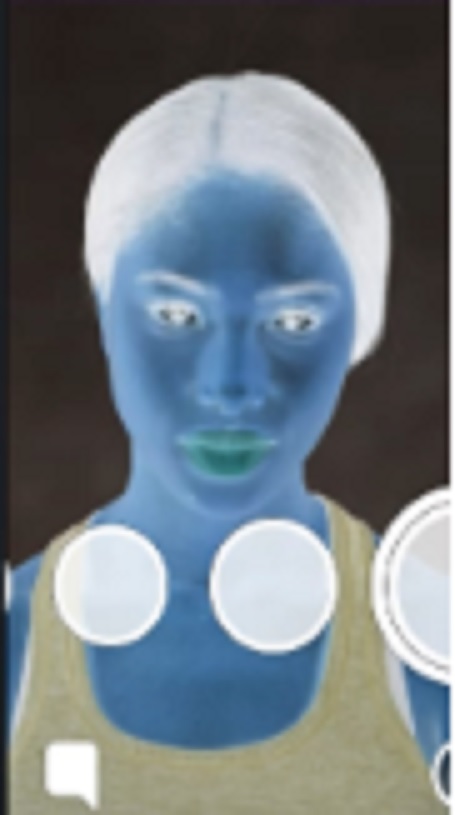
Hey Alfonso, this is an easy effect to learn.
Add new > color correction > invert
Hope this helps,
Jonah
Hey Jonah,
Thank you very much. I also need another favour if you don't mind. I am also planning to create a bingo lens that I seen as well as head of a ceo lens.I been meaning to do this for weeks but wasn't sure how to. I have attached some links below to help you understand what I mean.
https://snaplensfinder.com/lens/bestie-bingo/
https://snaplensfinder.com/lens/ceo-of-1/
Regards,
Alfonso
As far as the bing lens, just make the bingo board and set it as a screen image.
For the CEO lens, check out Emily's tutorial for a similar effect.
-Jonah
Thank you very much. I am new to this so that is why I was unsure my bad lol. If I do need help in the future is it ok if I make a new thread and paste the link to you?
Feel free to join the lens studio discord server. You may message me: Jmax#0001
-Jonah